

Index
- Why link building still matters (short)
- Link building safety rules — what to avoid (Google guidance)
- How to use this guide (strategy + pacing)
- Categories of free submission sites (what they do and why they help)
- Curated lists — free sites with links (by category)
- A. Business listing & local directories
- B. High-quality Web 2.0 & publishing platforms
- C. Social bookmarking & content aggregators
- D. Press release & news submission sites (free tier)
- E. Article / resource submission sites
- F. Profile & portfolio pages (authority profiles)
- G. Niche directories & community forums
- Step-by-step checklist for safe submissions (how to submit, what to include)
- Content templates (submission text, press release, directory description)
- Scheduling & tracking your submissions (30/60/90 day plan)
- Advanced tactics (tiered link strategy, outreach, broken link building)
- How to audit links & use disavow if needed
- FAQ
- Final checklist & next steps
- Appendix: quick link list (copy/paste)
1 — Why link building still matters (short)
Backlinks remain a major trust signal for search engines: when reputable sites link to your content, they’re effectively vouching for your page. High-quality, relevant backlinks help your pages rank, attract referral traffic, and build brand visibility. But quality > quantity: a few strong links beat hundreds of low-quality ones. See Google’s advice about links and crawlability.
2 — Link building safety rules — what to avoid
Before you start submitting everywhere, read this carefully:
- Avoid link schemes (paid links, automated link farms, large-scale link exchanges). Google treats manipulative linking as spam. Don’t buy suspicious link packages promising thousands of links for low cost.
- Prefer relevance: links from sites in your niche are more valuable than unrelated high-DA garbage.
- Use natural anchor text — don’t over-optimize exact-match anchors.
- Follow site rules — many directories or sites mark user-generated links as
rel="nofollow"orrel="sponsored"; that’s fine — you still get visibility and some referral traffic. - Focus on people-first content; Google’s webmaster guidance always favours helpful content over link manipulation.
3 — How to use this guide (strategy + pacing)
Goal: build a diverse, natural backlink profile using free, authoritative sources.
Phases:
- Week 0 (Audit): find existing backlinks, check toxic ones.
- Week 1–4 (Foundation): create profiles on business directories, publish 2–3 Web 2.0 posts (quality), submit to a few bookmarking sites.
- Month 2–3 (Scale): press release for newsworthy updates, article/resource submissions, outreach for guest posts & broken-link building.
- Ongoing: monitor, update content, repeat with fresh useful assets.
I’ll give a 30/60/90-day schedule in section 8.
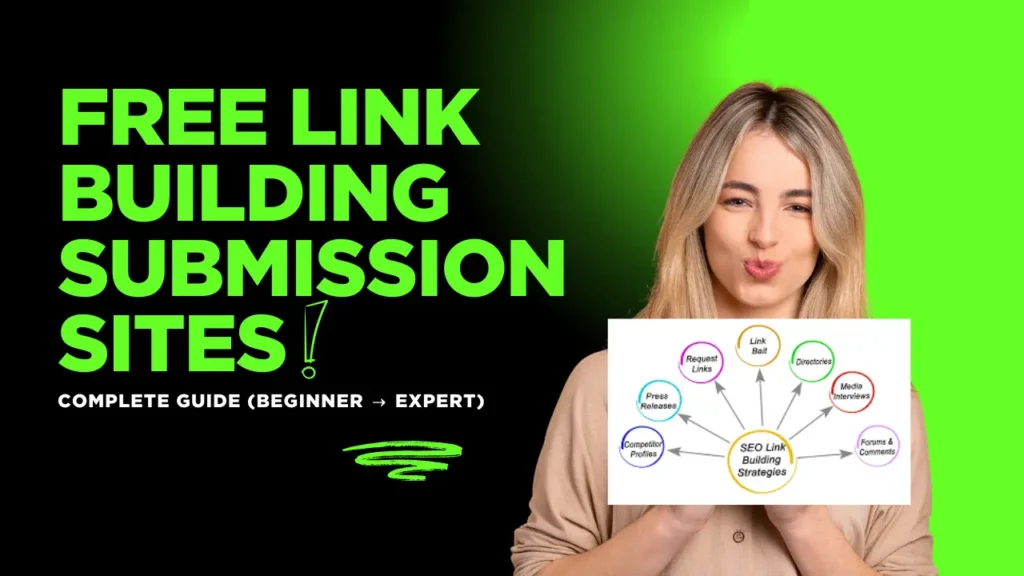
4 — Categories of free submission sites (what they do and why they help)
- Business listings & local directories — help local SEO, NAP consistency, and show up in Maps.
- Web 2.0 & publishing platforms — let you publish long-form posts (with links) on trusted domains (Medium, WordPress.com).
- Social bookmarking & aggregators — fast indexation signals and referral traffic (Diigo, Mix).
- Press release sites — for genuine news items (PRLog, OnlinePRNews).
- Article/resource submission sites — older model but still useful for content distribution (use cautiously).
- Profile/portfolio pages — LinkedIn, About.me, Crunchbase — good authority profiles with links.
- Niche directories & forums — industry-specific directories & communities with targeted referral traffic.
Curated lists used to compile the link pools: industry lists and updated directories (examples and sources are cited where relevant).
5 — Curated lists — free sites with links
Below are curated, high-value, and generally free submission sites. I grouped them by purpose and included the direct link to the submission or signup page where possible. Use these selectively — prioritize quality.
A. Business listing & local directories (important for local SEO)
- Google Business Profile (free) — setup local listing (must verify).
https://www.google.com/business/ - Bing Places for Business — Microsoft’s local listing.
https://www.bingplaces.com/ - Yelp (Business) — create free business page.
https://biz.yelp.com/ - Yellow Pages — directory listing.
https://www.yellowpages.com/ - Crunchbase — company profile (great for startups).
https://www.crunchbase.com/ (create a profile) — submission via site. - Hotfrog — free business listing.
https://www.hotfrog.com/ - Local chamber / industry directories — search “[city] business directory” and list your company.
Why these matter: Local directories improve visibility in local search and create trusted citations. When listing, keep NAP (Name/Address/Phone) identical across all sites.
B. High-quality Web 2.0 & publishing platforms (long-form content)
- Medium — publish articles with links (good domain authority).
https://medium.com/ - WordPress.com — free hosted blogs you control.
https://wordpress.com/ - Blogger (Blogspot) — Google property for quick posts.
https://www.blogger.com/ - Substack — newsletter + posting platform (useful for thought leadership).
https://substack.com/ - Tumblr — microblogs + links.
https://www.tumblr.com/ - GitHub Pages — host content and docs (great for technical content).
https://pages.github.com/ - Weebly / Wix (free tiers) — create content pages with links.
Best practice: Publish unique, helpful content on these platforms (do NOT spin or duplicate your main site content verbatim). Web 2.0 posts can drive referral traffic and sometimes index fast. Lists of Web 2.0 options are commonly updated by SEO resources.
C. Social bookmarking & content aggregators
- Diigo — social bookmarking and highlights.
https://www.diigo.com/ - Mix (formerly StumbleUpon) — content discovery.
https://mix.com/ - Reddit — share links to relevant subreddits (follow subreddit rules).
https://www.reddit.com/ - Scoop.it — content curation platform.
https://www.scoop.it/ - Pocket — save articles (primarily a reading list; good for visibility).
https://getpocket.com/ - Flipboard — curated magazine-style sharing.
https://flipboard.com/
Social bookmarking helps with indexing and can produce referral traffic. Curated lists of bookmarking sites are widely published for SEO use.
D. Press release & news submission sites (free options)
- PRLog (free tier) — press release submission.
https://www.prlog.org/ - OnlinePRNews (free option) — has free and paid plans.
https://www.onlineprnews.com/ - PR.com — free company profile and press release options.
https://www.pr.com/ - Free-Press-Release.com — free submissions (check guidelines).
https://www.free-press-release.com/
Use press release sites only for legitimate news (product launches, funding, events). Overusing PR for SEO is spammy — use sparingly and focus on real PR value. See PR submission guides for curated lists.
E. Article / resource submission sites
- EzineArticles — article directory (use carefully).
https://ezinearticles.com/ - ArticleCube — content submission.
https://www.articlecube.com/ - Medium (again)— republish or original long-form guides.
- Vocal.media — publish articles and reach audiences.
https://vocal.media/ - SlideShare — upload presentations with backlinks.
https://www.slideshare.net/
Article submission sites were historically link farms. Today use reputable platforms (Medium, Vocal) and always add value. Avoid mass duplicate submissions.
F. Profile & portfolio pages (authority profiles)
- LinkedIn (Company page & personal profile) — essential for B2B.
https://www.linkedin.com/ - About.me — simple profile with link.
https://about.me/ - Behance — for designers & creatives (projects with links).
https://www.behance.net/ - Dribbble — portfolio for designers (link to site).
https://dribbble.com/ - AngelList / Angel.co — startup profiles (links).
https://angel.co/ - Trustpilot / G2 (reviews & company listings) — profiles that often allow website links.
https://www.trustpilot.com/ · https://www.g2.com/ newtraffictail.com
Profile pages on authoritative domains are often high-value links and build trust.
G. Niche directories & community forums
- Industry-specific directories (e.g., medical directories, legal directories, job boards). Search “your-niche directory + submit” to find relevant ones.
- Quora — answer relevant questions and add your site link when it genuinely helps. https://www.quora.com/
- Community forums and StackExchange (where allowed) — be helpful, avoid spam.
Niche links are often the most relevant and convert best — prioritize them.
6 — Step-by-step checklist for safe submissions
Follow this process for every site you submit to:
- Create a real profile — use your brand name, proper logo, and full description.
- Write a unique description — avoid copying the same text across dozens of directories. Customize for each listing.
- Use consistent NAP (Name, Address, Phone) for local listings.
- Add website link + social links — where allowed, include exact homepage and a landing page if relevant.
- Choose the right category — mis-categorized listings look spammy.
- Add images and business hours (if local) — increases trust and clickability.
- Don’t overdo anchor text — vary how you link (brand name, URL, generic).
- Save credentials in a password manager — you’ll reuse logins across sites. (Use Zoho Vault, LastPass, etc.)
- Track submissions in a spreadsheet — site, date, username, status, notes. (Template below.)
7 — Content templates you can copy
Directory description (150–200 words)
[Brand]is a [one-line summary: what you do]. We help [target audience] by providing [core benefit]. Founded in [year], our team of [X] has delivered [X results / clients]. Contact us at [phone] or visit [website]. We specialize in [services/keywords].
(Customize each time — do not paste the exact same block across all directories.)
Short press release (headline + 3 paragraphs)
Headline: [Brand] launches [product/service] to [benefit]
Lead: [One-sentence summary: who, what, when, where, why]
Body: Paragraph 1 — details & quotes. Paragraph 2 — features / benefits. Paragraph 3 — CTA (link to landing page) + contact info.
8 — Scheduling & tracking your submissions (30/60/90 day plan)
30-Day Starter Plan (slow & safe)
- Week 1: Create profiles on Google Business Profile, Bing Places, LinkedIn, Crunchbase, Yelp.
- Week 2: Submit to 5 high-quality niche directories.
- Week 3: Publish 2 Web 2.0 posts (Medium + WordPress.com) linking to cornerstone content.
- Week 4: Submit 2–3 bookmarks (Diigo, Mix) and one press release (only if you have news).
60–90 Day Scale
- Month 2: Upload 1 SlideShare presentation, create 1–2 guest posts (outreach), participate on Quora/Reddit with helpful answers linking to resources.
- Month 3: Do broken-link outreach to 20 relevant sites, propose your resource as replacement.
Tracking Spreadsheet columnsSite | Category | Submit URL | Username | Password (encrypted) | Date Submitted | Follow-up Date | Indexed (Y/N) | Notes
9 — Advanced tactics (expert level)
- Tiered link strategy (safe):
- Tier 1: natural editorial links (guest posts, PR, partnerships).
- Tier 2: Web 2.0, resource pages, SlideShare, YouTube descriptions.
- Tier 3: bookmarking, social shares for indexation only (no manipulation).
Use tiers to help pages index and to create natural-looking authority flow — but avoid creating artificial networks of owned sites linking in circles.
- Broken link building: find broken external links on resource pages, email the webmaster offering your relevant resource as a replacement.
- Skyscraper + outreach: create an exceptional resource (data, guide) then reach out to sites linking to weaker resources and request they link to yours.
- Guest posting (quality only): target authoritative, niche sites; focus on value, not anchor text.
10 — How to audit links & when to disavow
- Audit monthly with tools (Google Search Console, Ahrefs, Moz, Semrush) to see new backlinks and referring domains.
- Look for red flags: thousands of low-quality spammy links from unrelated directories, repeated exact-match anchors, or link farms.
- Contact sites first to remove spammy links if possible. If unable, use Google’s Disavow tool as a last resort. Google warns that most sites do NOT need disavows and they should be used cautiously.
11 — FAQ (short)
Q: How many directory submissions should I do?
A: Focus on quality and relevance — a curated 30–50 targeted listings + profile pages is far better than mass-submitting to thousands of low-quality directories.
Q: Do these free links pass SEO value?
A: Some do (profile pages, high-authority Web 2.0 posts); many will be nofollow but can still drive traffic and help indexation. Prioritize referral and relevance.
Q: Can I automate submissions?
A: Avoid automated mass submission tools — these often create spammy footprints that can trigger penalties. Manual, thoughtful submissions win.
12 — Final checklist & next steps
- Create a submission tracking sheet.
- Claim Google Business Profile + Bing Places.
- Build 2 Web 2.0 posts and 1 SlideShare.
- Submit to 10 niche/relevant directories (manual, unique descriptions).
- Do 10 outreach emails (guest post or broken-link outreach).
- Audit backlink profile monthly and adjust.
13 — Appendix: Quick link list (copy/paste)
Use this as the starting list — submit selectively and customize each listing.
Business / Local
- https://www.google.com/business/
- https://www.bingplaces.com/
- https://biz.yelp.com/
- https://www.yellowpages.com/
- https://www.crunchbase.com/
- https://www.hotfrog.com/
Web 2.0 / Publishing
- https://medium.com/
- https://wordpress.com/
- https://www.blogger.com/
- https://substack.com/
- https://pages.github.com/
- https://www.tumblr.com/
Bookmarking / Aggregators
- https://www.diigo.com/
- https://mix.com/
- https://www.reddit.com/
- https://www.scoop.it/
- https://getpocket.com/
- https://flipboard.com/
Press Release
- https://www.prlog.org/
- https://www.onlineprnews.com/
- https://www.pr.com/
- https://www.free-press-release.com/
Articles / Presentations
- https://ezinearticles.com/
- https://vocal.media/
- https://www.slideshare.net/
Profiles / Portfolios
- https://www.linkedin.com/
- https://about.me/
- https://www.behance.net/
- https://dribbble.com/
- https://angel.co/
- https://www.trustpilot.com/
- https://www.g2.com/
Q&A / Community
- https://www.quora.com/
- https://stackoverflow.com/ (for developer content, where appropriate)
(Many more niche directories exist — search “[your industry] directory submit” to find industry-specific options.)
Sources & further reading
- Collections of directory / web 2.0 / bookmarking lists and updated lists used to compile this guide.
- Google Search Central — links, crawlability and spam policies (read before heavy link building).
- Best practices for sustainable link building and outreach.
Focus Keywords
- Free link building submission sites complete guide beginner → expert download
- Best free link building submission sites complete guide beginner → expert
- 5000 directory submission sites list
- Types of link building
- Link building in SEO examples
- Link building website list
- Free directory submission sites list
- Link building example